Case Study · 01
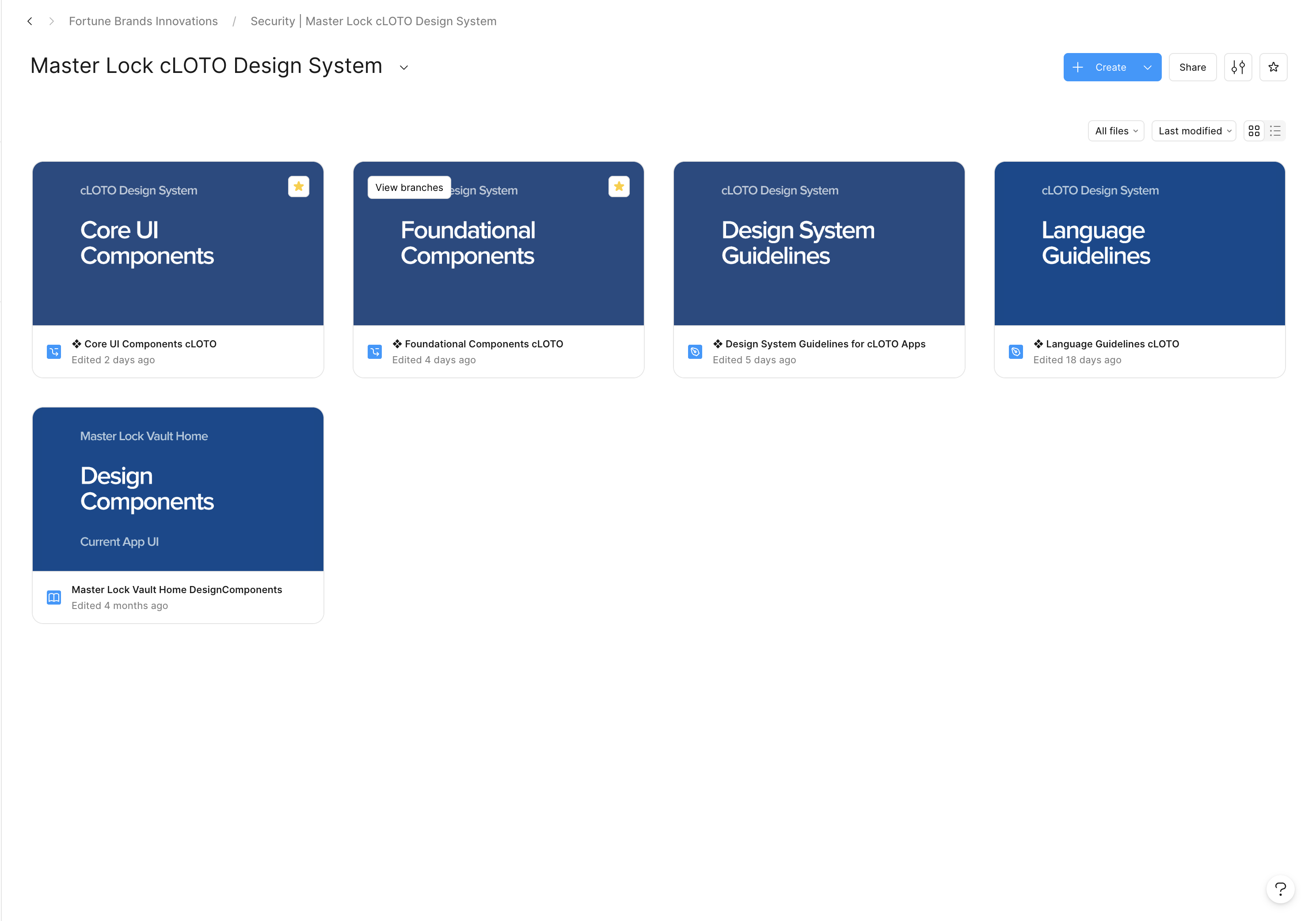
Master Lock cLOTO Design System
The design system behind Master Lock’s first major web product — and the work it took to get engineering to ship from it.
Context
Master Lock has made lockout/tagout hardware for over a century. cLOTO is the company’s first major web product — software for the safety teams that run lockout/tagout every day. Three designers were building the whole thing from scratch, alongside a growing engineering team.
The problem
Without a shared system, three patterns kept recurring.
Designers re‑styling the same patterns from screen to screen.
Engineers re‑implementing components because every handoff looked different.
And inconsistent behavior across breakpoints and states — because nobody had written down what was supposed to happen.
A system that lived in Figma but didn’t reach the codebase wasn’t going to fix any of that.
My role
One of three designers building and maintaining the system. My contributions run across foundations, components, the icon library, the voice & tone layer, and the “release files” we hand to engineering.
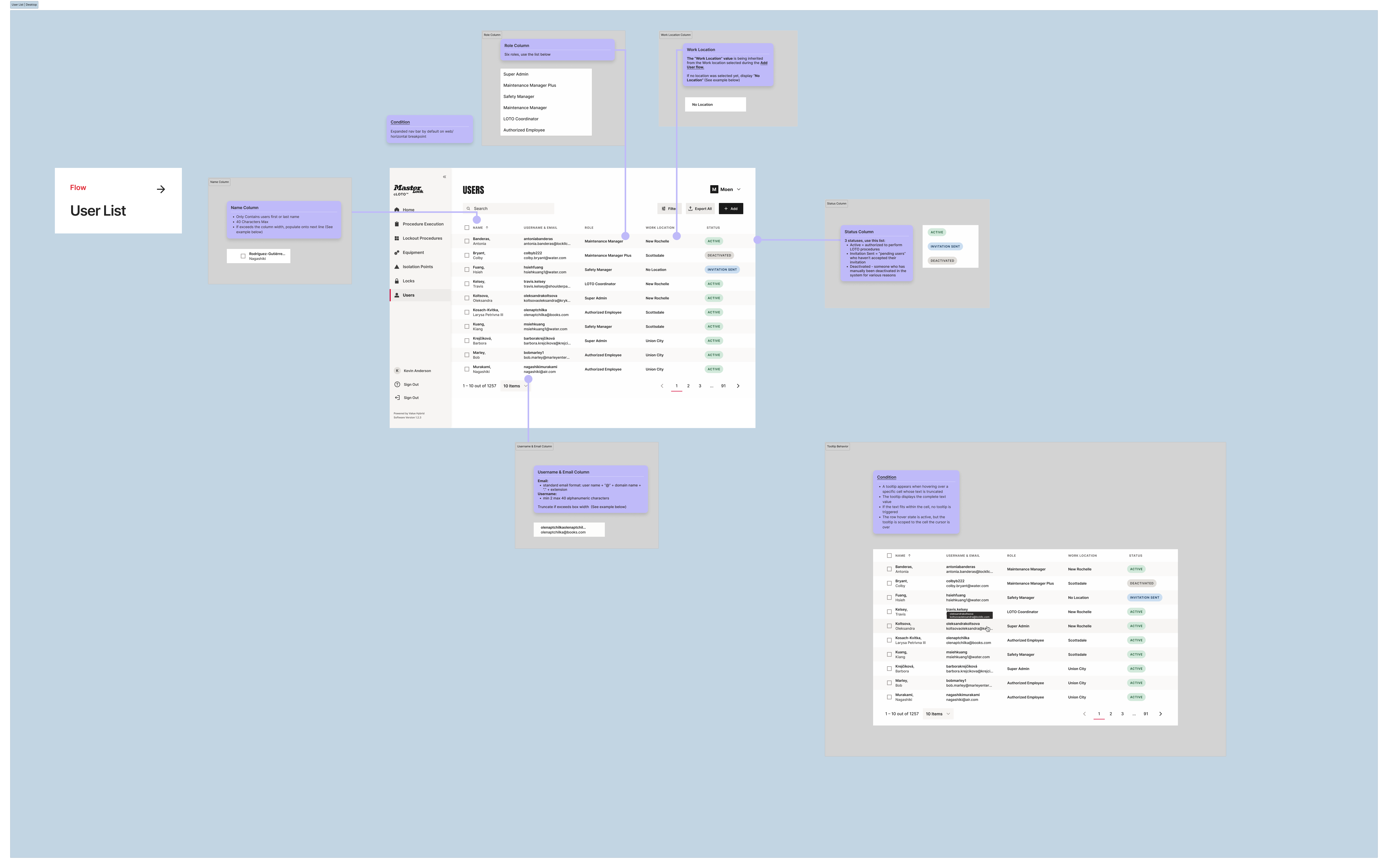
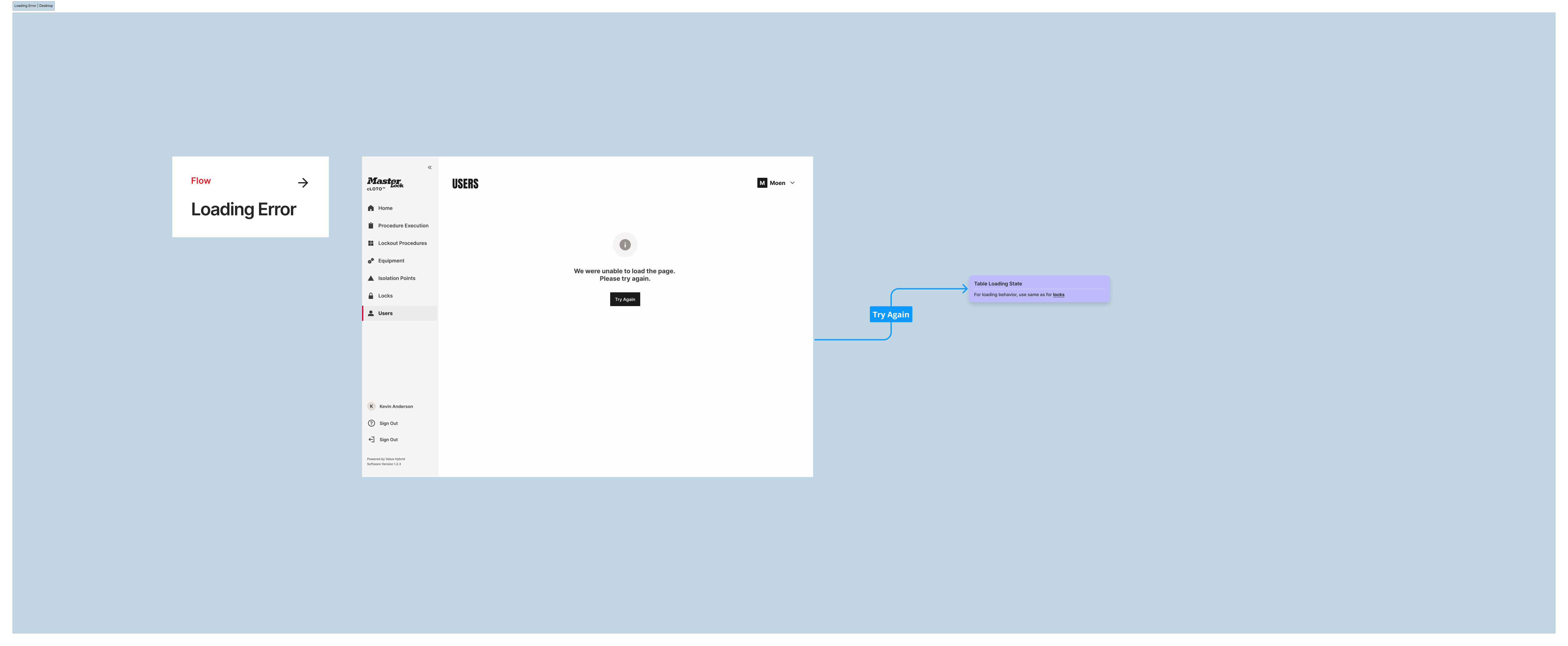
Release files are implementation‑ready artifacts that document each feature’s workflow, breakpoints, responsive behavior, and the conditions and logic underneath.
I partner closely with engineering on what makes it into code, how it stays in code, and how new patterns get proposed and deprecated.
How we approached it
Three principles shaped the work:
- Make the system the source of truth. Designers, engineers, and PMs reference the same components, tokens, and release files — so the team can settle visual debates and focus on shipping the product.
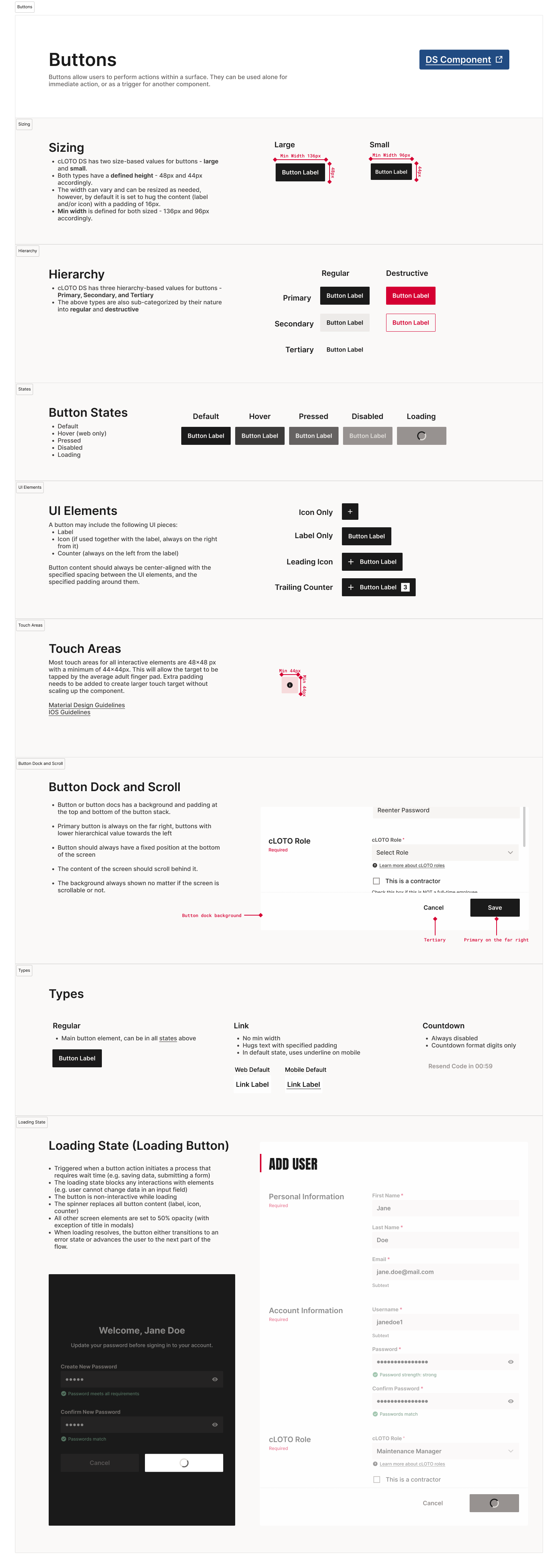
- Document behavior, not just appearance. A button is the straightforward part. A button at three breakpoints, in five states, with two loading variants, anchored to a footer that doesn’t move on scroll — that’s the substantive work. Components and release files cover both.
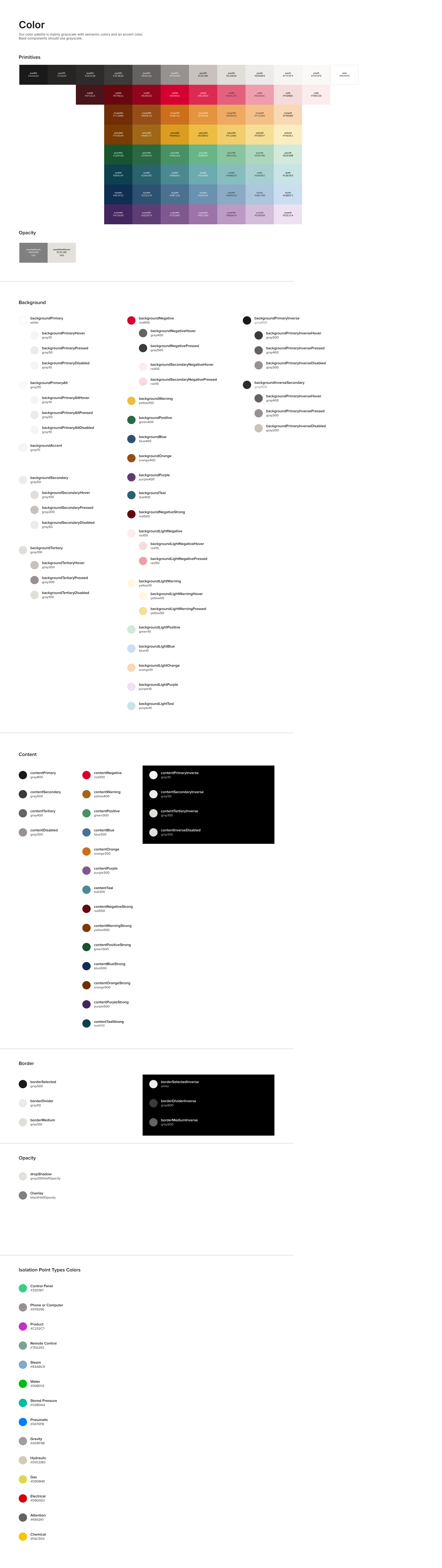
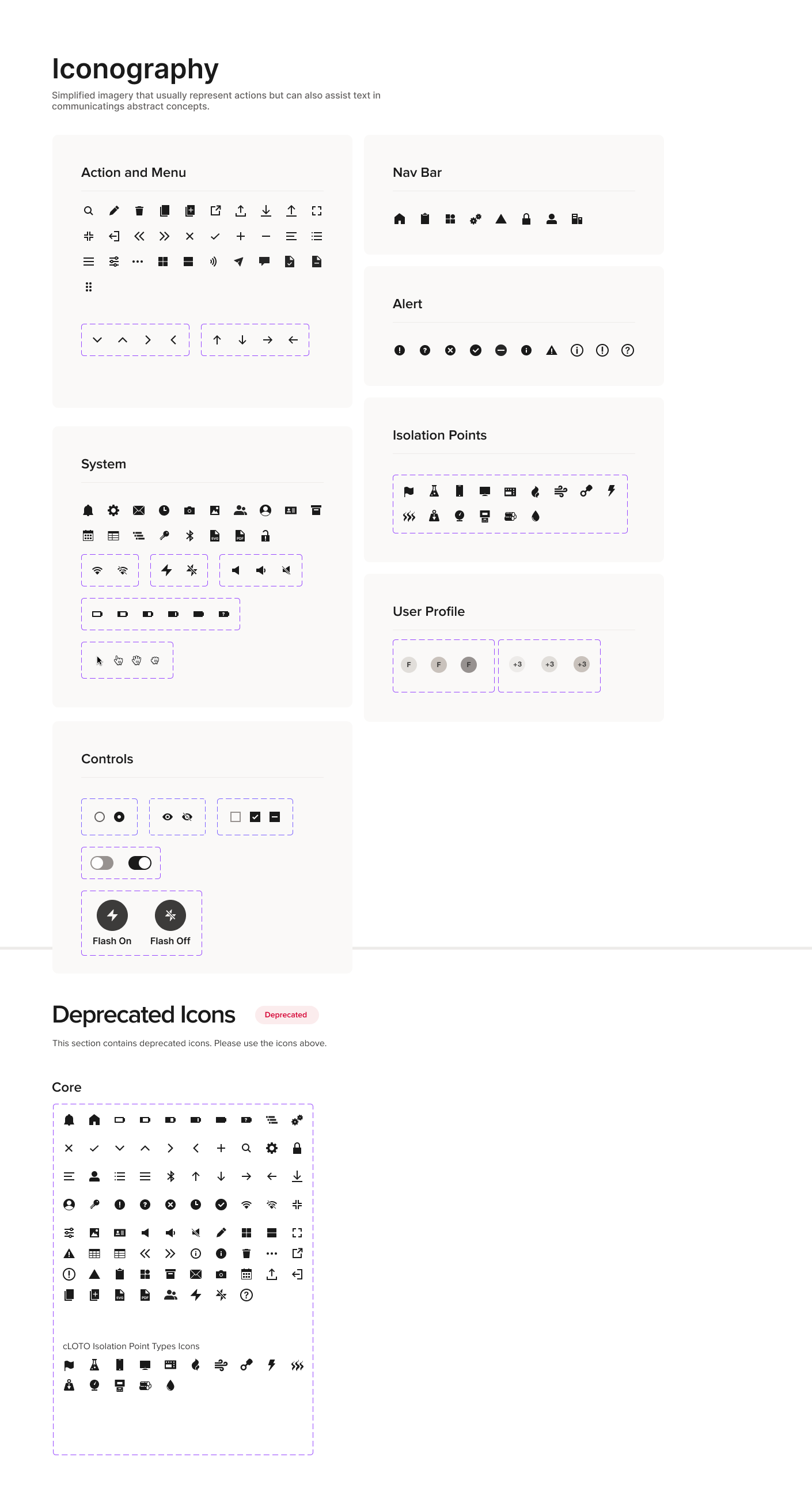
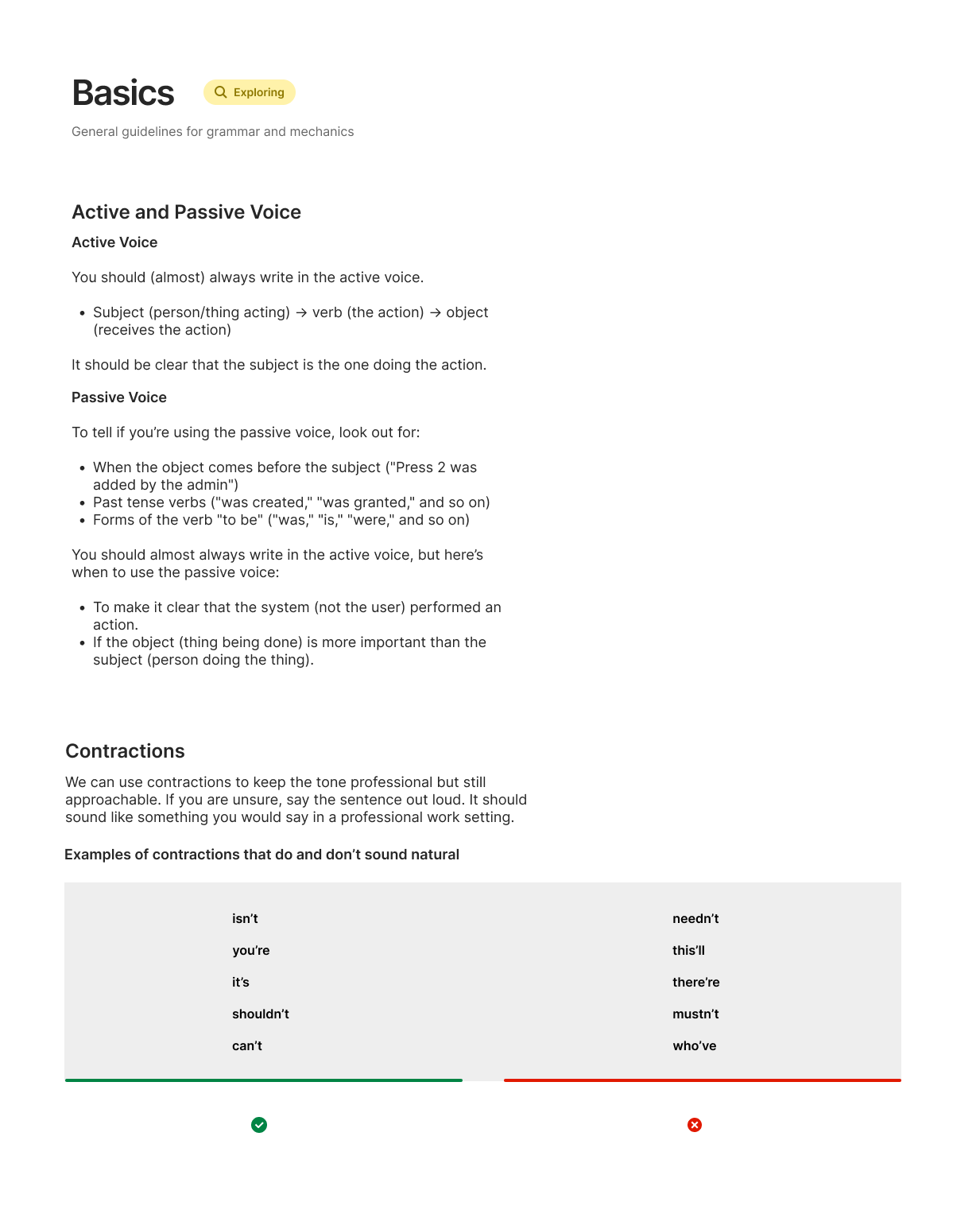
- Extend the system past visual design. Color carries domain meaning — like Isolation Point Type Colors, specific to lockout/tagout. Voice and tone has documented rules. Icons get deprecated, not duplicated.
The work isn’t finished when the components ship. It’s finished when engineering stops re‑implementing them.
Selected artifacts
Validation
Before launch, I tested the User Management flow with 10–20 participants in unmoderated Useberry studies. Participants completed the core tasks without stalling, and the screens didn’t need rework.
That’s the outcome you want before a B2B product meets its first customers — confirmation, not surprise. It also tells you something about the system itself: when the components, tokens, and release files do their job, the work is shippable on the first take.
Outcomes
The system became the source of truth for cLOTO.
Designers compose screens from components and tokens instead of redrawing them. Engineering builds from release files instead of asking the same questions twice.
The back‑and‑forth between design and engineering got shorter as the library and the release files matured.
We launched cLOTO on this system — the first product to ship under the new design language.
On a complex B2B product, the value isn’t saving an hour on a button. It’s reallocating that hour to the part of the workflow where a missed step has real consequences for the people on the floor.
What I learned
A design system only matters if engineering uses it. That means documenting behavior — not just appearance — and treating adoption as a design problem, not an engineering one.