Case Study · 02
cLOTO Lock Management
The digital twin of the physical padlock — designing the inventory and asset layer of cLOTO, where the substantive decisions live in the logic underneath the screens.
Context
Master Lock has manufactured physical padlocks for over a century. cLOTO is the company’s first major web product — software for the safety teams that run lockout/tagout every day. Locks are central to it: every padlock in a facility tracked, every step of every isolation logged.
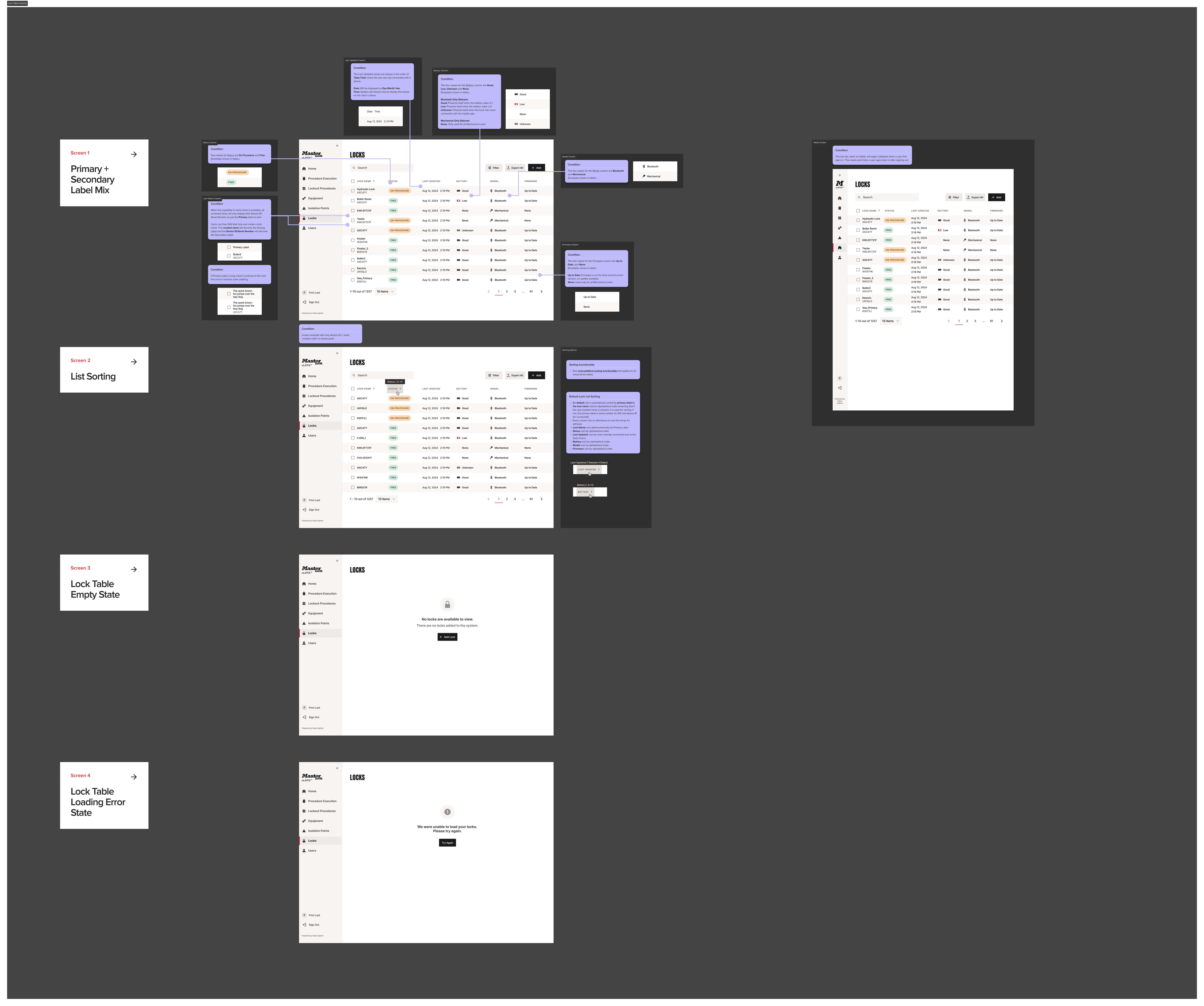
Locks fall into two categories. Bluetooth locks are connected, with battery state, location data, and a digital identity. Mechanical locks are passive — a serial number stamped on metal. The product has to handle both, in the same table and the same flows, without treating them as equivalent.
The problem
A lock isn’t a row in a table. It’s a serial number on a physical padlock that occupies a location, has an owner, and may be running low on battery before the next shift.
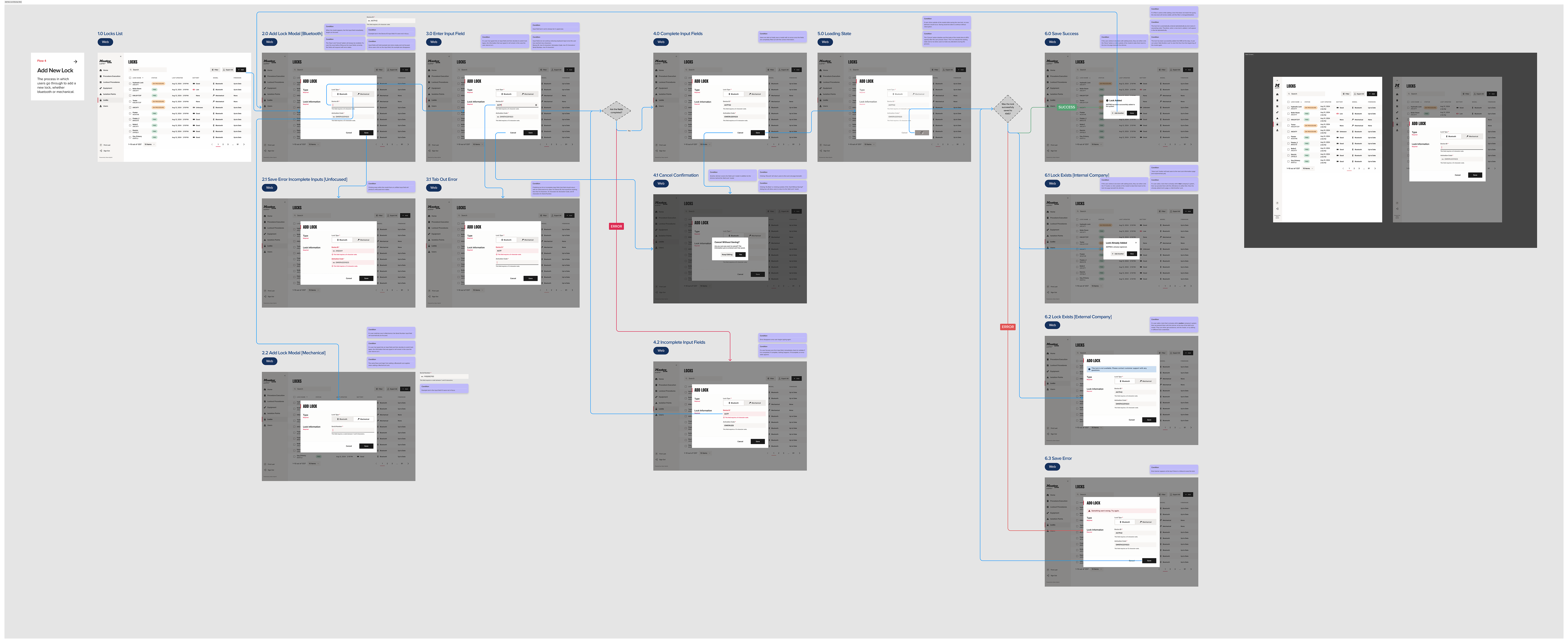
Safety teams need to add new locks to the system — sometimes individually, often in batches when a facility is rolling out cLOTO.
They need to reconcile when a lock already exists elsewhere, whether within the same company or at another company entirely.
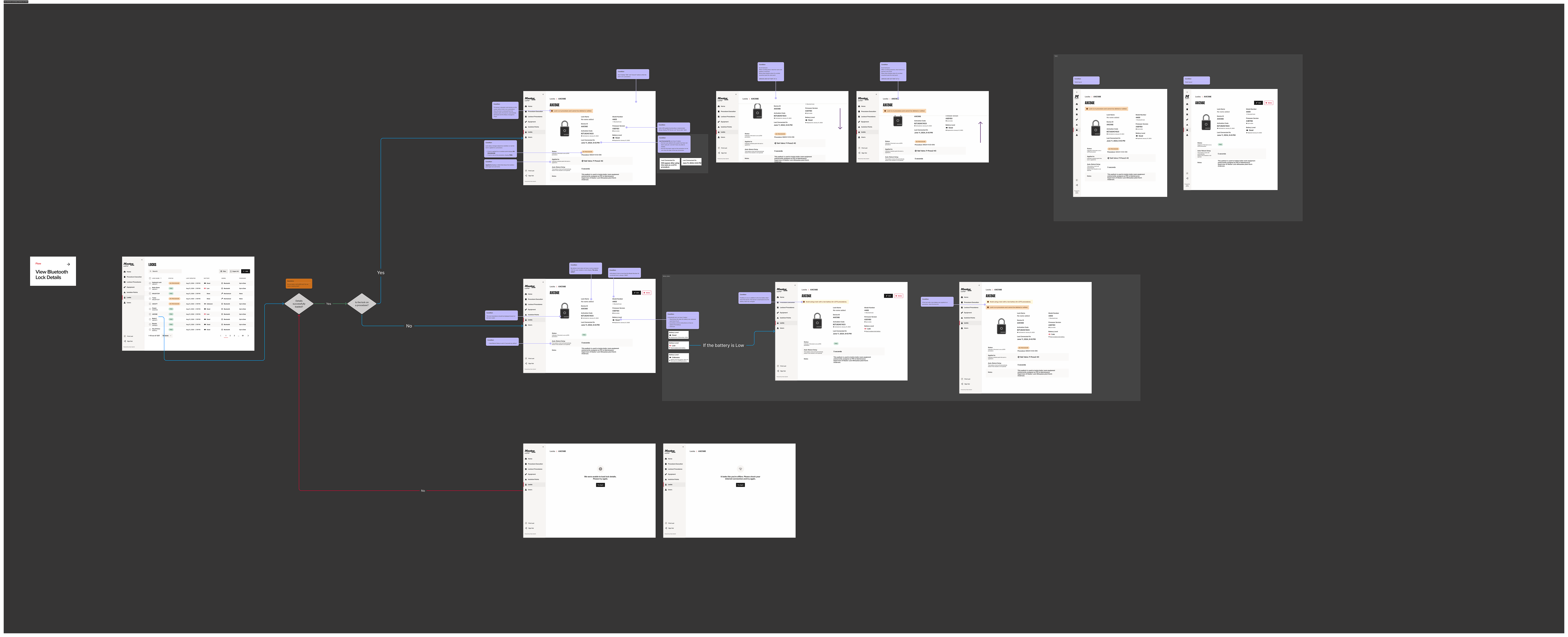
They need to see, at a glance, which locks are healthy and which are about to fail. A critical battery on a Bluetooth lock is a real‑world safety risk, not a notification design problem.
And they need to trust the table itself: sorting, filtering, empty states, loading errors. In a domain product, reliability of the basics is a feature.
My role
Product Designer on Lock Management end-to-end. I owned the flows and the release files engineering builds from, plus the cross-cutting decisions about how lock types behave together.
Partnered with engineering on what was feasible, with product on what was needed, and with subject‑matter experts inside Master Lock who understand how lockout/tagout operates on the facility floor.
How we approached it
Three principles shaped the work:
- Model the physical, not just the digital. Locks are physical objects with physical states. The system has to reflect that — battery health, ownership, location — rather than abstract those details into uniform rows that misrepresent operational reality.
- Branching is the product. Bluetooth versus Mechanical, internal versus external transfer, healthy versus low versus critical battery — these aren’t edge cases. They’re the design surface. Most of the work happens in deciding what each branch does.
- Make conflict resolution legible. When something falls outside the happy path — a duplicate serial number, a lock claimed by another company, a battery that crossed a threshold — the system should explain the situation rather than penalize the user for it.
The substantive decisions in lock management aren’t on the screen. They’re in the logic underneath.
Selected release files
Validation
Lock Management has been validated internally at Master Lock facilities. Safety teams onboarding cLOTO have used the flow to register and transfer real inventory.
The cases that look like edge cases on paper — a Bluetooth lock claimed by another company, a low‑battery lock about to be issued for a shift — surfaced quickly in real use. The branches were necessary, not theoretical.
External user testing is the next step. The current state: the work is in production, the flow holds up against real inventory inside the company, and the next milestone is testing it with customers.
Outcomes
Lock Management ships with cLOTO. The lock table, the add flow, the details surface, and the conflict‑resolution paths are how Master Lock customers will get their inventory into the system on day one.
The deeper outcome: the design system did its job. Buttons, tables, tokens, and icons were already decided, which kept the design conversation focused on the consequential questions — whether to nudge or block, what to display when a Mechanical lock has no battery state, how to communicate that a serial number is registered to another company without implying fault on the user’s part.
What I learned
In a domain product, the visible interface is the lower‑stakes half of the work. The product lives in the rules — what each lock type can and can’t do, when an action is allowed, how the system responds when reality doesn’t match the model.
That’s where the design work actually happens. And it’s the work that holds up when the product is deployed in a facility full of real padlocks.