Case Study · 03
RSS Studio
A no‑code authoring platform for the Risk and Safety Solutions suite — reframing the product from a compliance tool into a data‑collection engine that customers can configure without writing code.
Context
Risk and Safety Solutions builds the software that universities, healthcare systems, and research institutions use to run their safety and compliance programs — lab inspections, ergonomic assessments, hazard reports, training records, and dozens of other recurring workflows that have to be tracked, routed, and reported.
Every customer wanted a slightly different version of the platform. And for years, every difference meant custom work.
The problem
Adding a new program for a customer meant RSS engineers had to build the forms, dashboards, workflows, and reports from scratch. Setup ran in months, not days.
The product team was the bottleneck for every customer rollout, and the customer solution engineers spent more time hand‑assembling programs than helping customers use them.
The data those programs produced was also fragmented across dozens of tools that couldn’t talk to each other, which made cross‑program reporting effectively impossible.
The reframe
The hardest part of the project was a conceptual shift, not a screen.
RSS isn’t a compliance app. It’s a data‑collection and synthesis platform that customers use to run their programs. The job wasn’t to design a better form — it was to give customers the building blocks to assemble their own forms, workflows, and reports.
My role
UX Designer at RSS. I owned the design of the authoring tools — form builder, workflow builder, metric and dashboard builder — and the end‑user surfaces those tools generated.
Worked closely with product on what to build, with engineering on what was feasible, and with the customer solution engineers who had been the ones doing the manual program setup. They were the internal users with the most to gain — or lose — from getting the builders right.
How we approached it
Three principles shaped the work:
- Make the customer self‑sufficient. Every program a customer wanted to run should be assemblable without a developer. That meant forms, dashboards, workflows, and metrics all had to be authored, not coded.
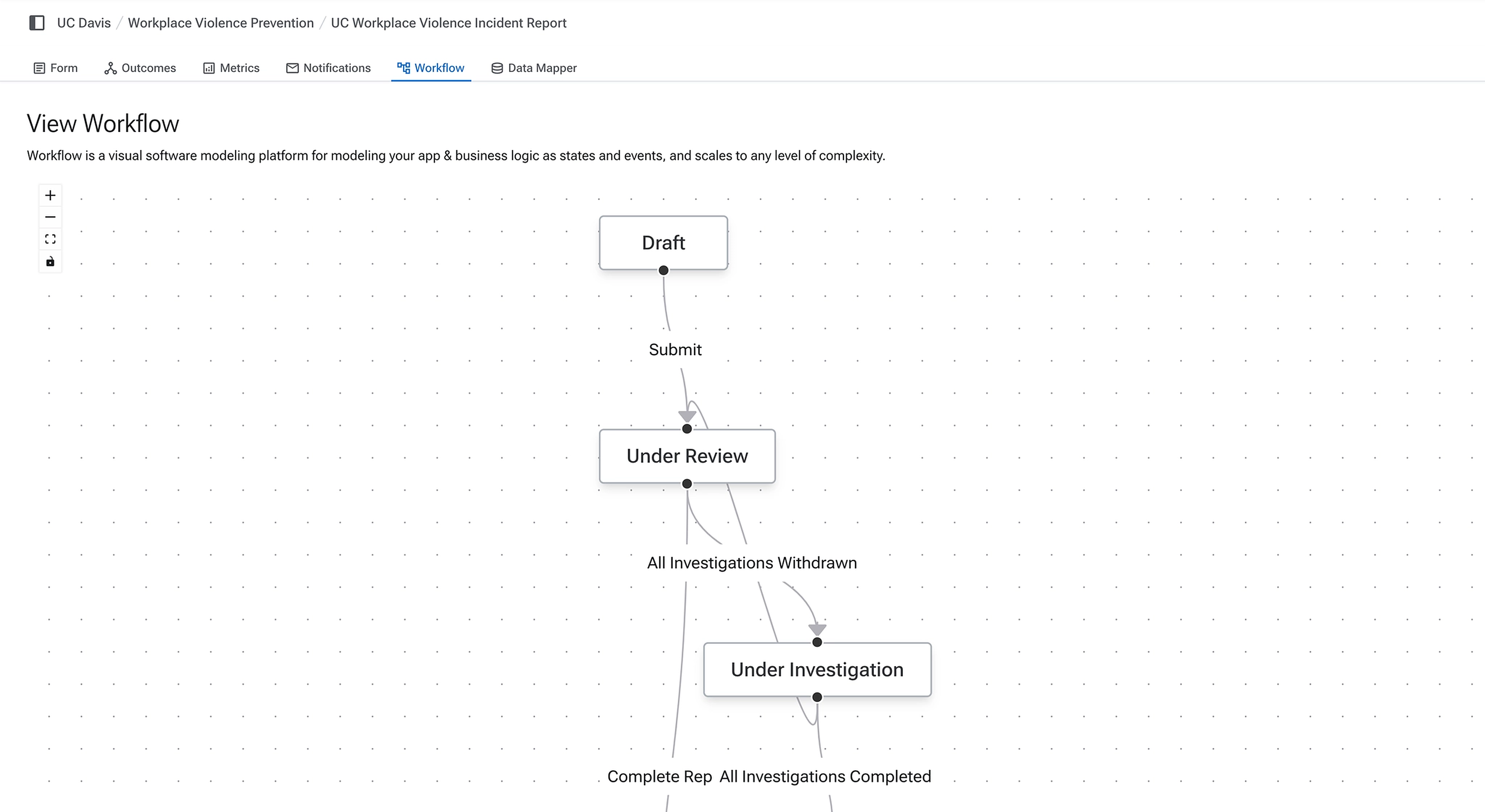
- Match the system to the work. Safety programs share a shape: capture data, route it, analyze it, act on it. The builder primitives were designed to mirror that flow rather than borrow arbitrary UI patterns.
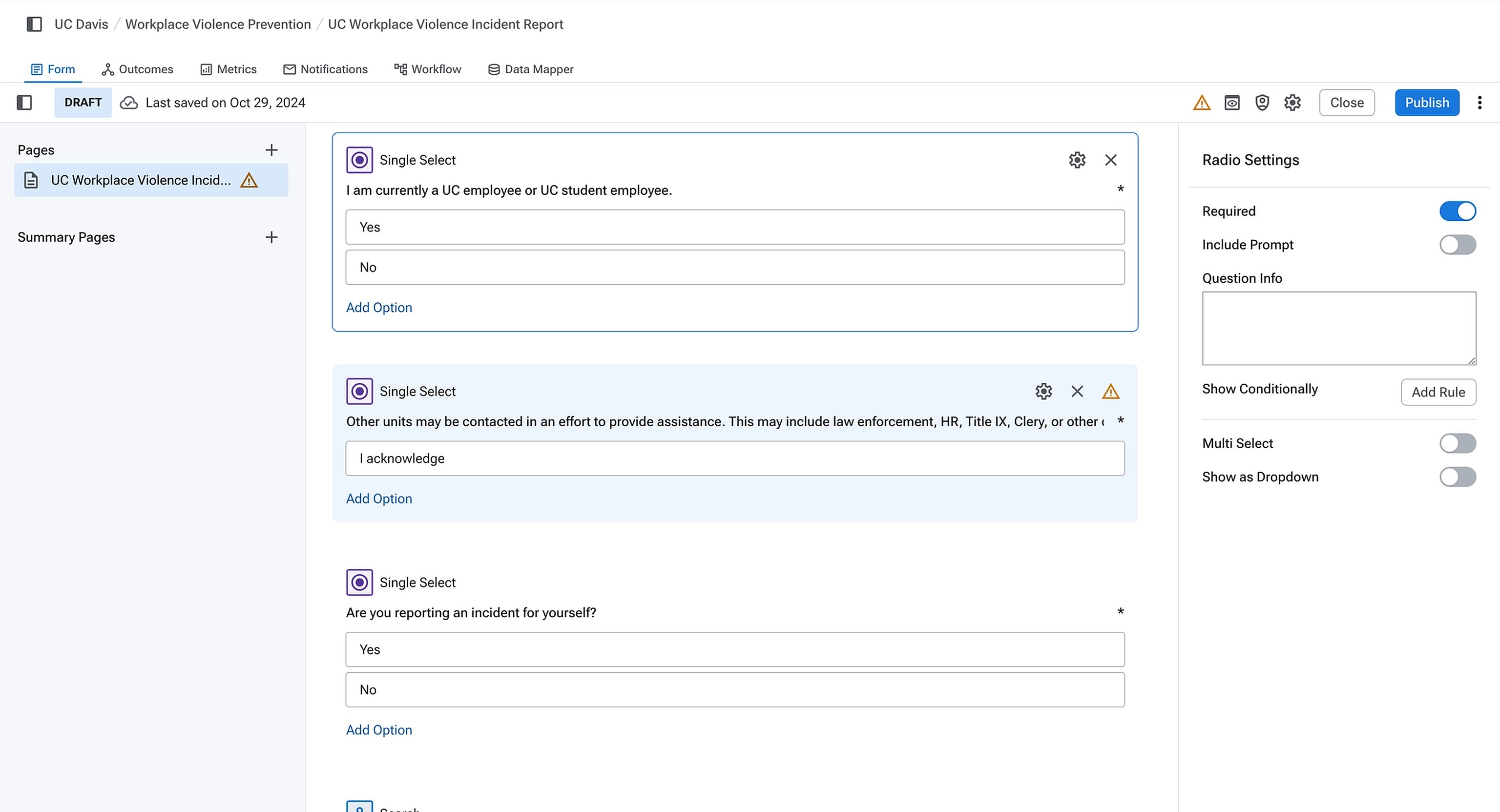
- Keep the familiar surfaces familiar. A form builder doesn’t need to be reinvented — admins already know how one works. Studio’s form builder is conventional on purpose: multiple question types, a required toggle, configurable options, configurable option counts. The novel work belonged in the workflow and metric builders, not in re‑teaching people how to build a form.
Studio is the authoring layer. The platform is what the authored programs become.
Selected work
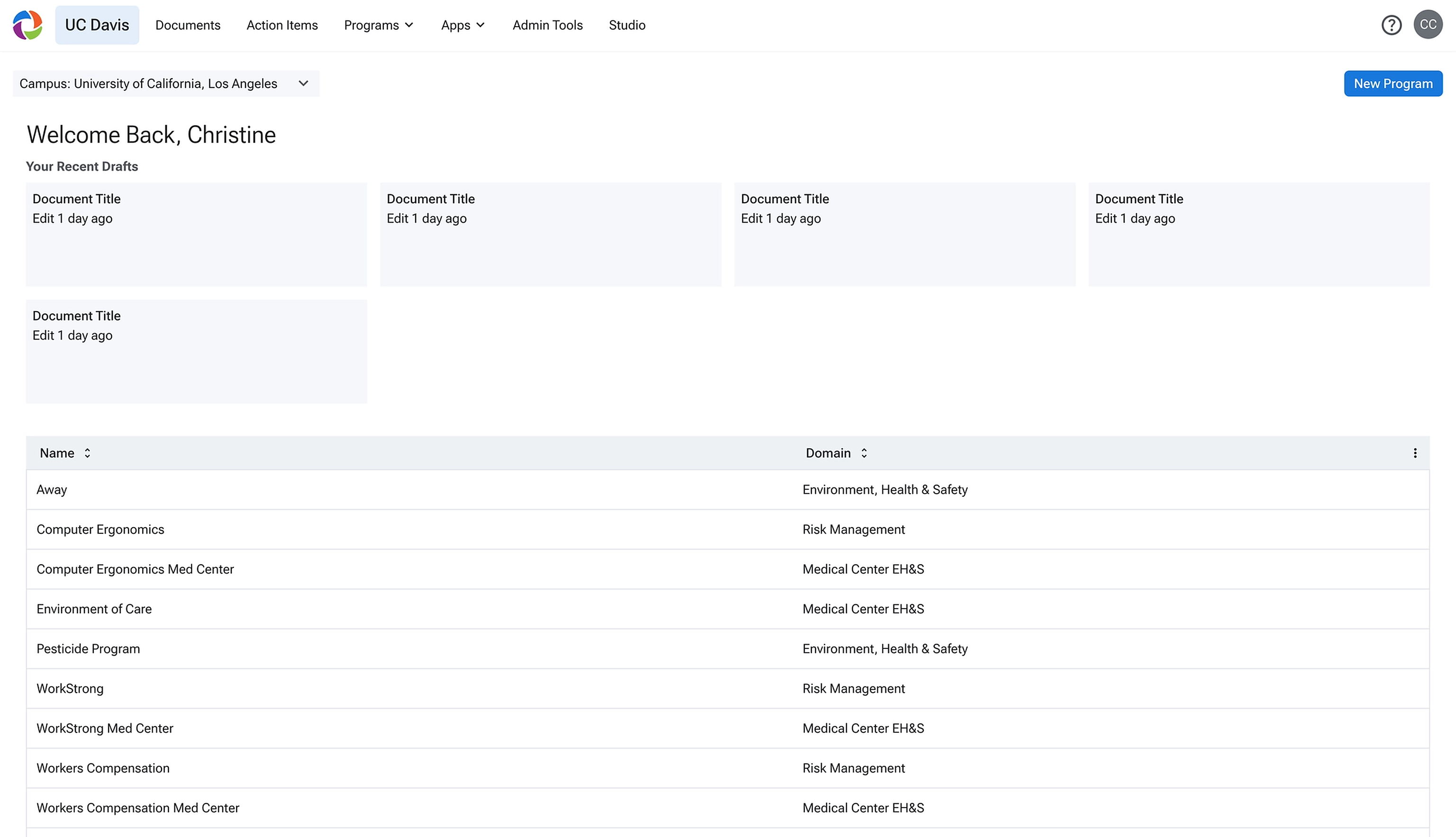
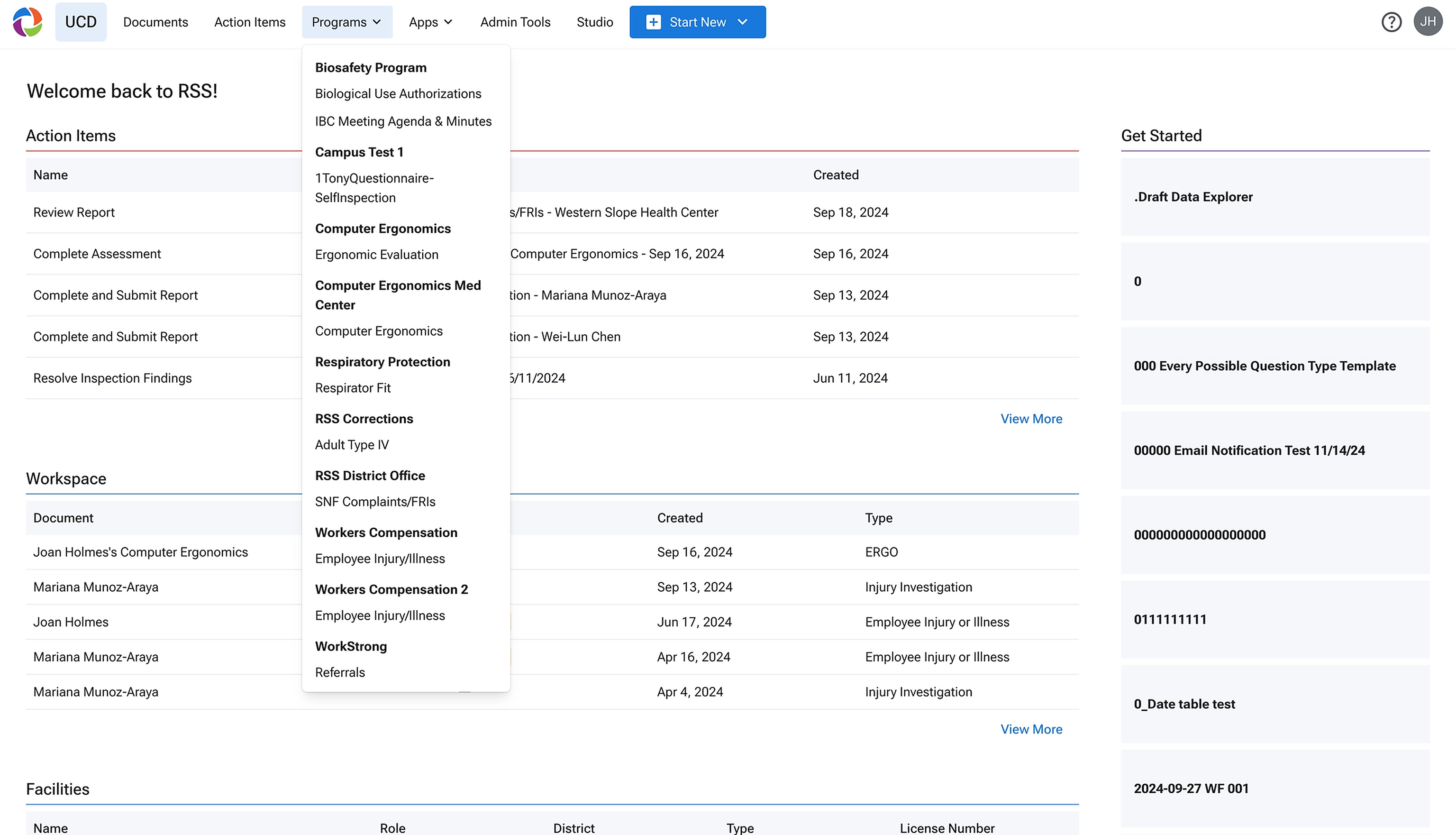
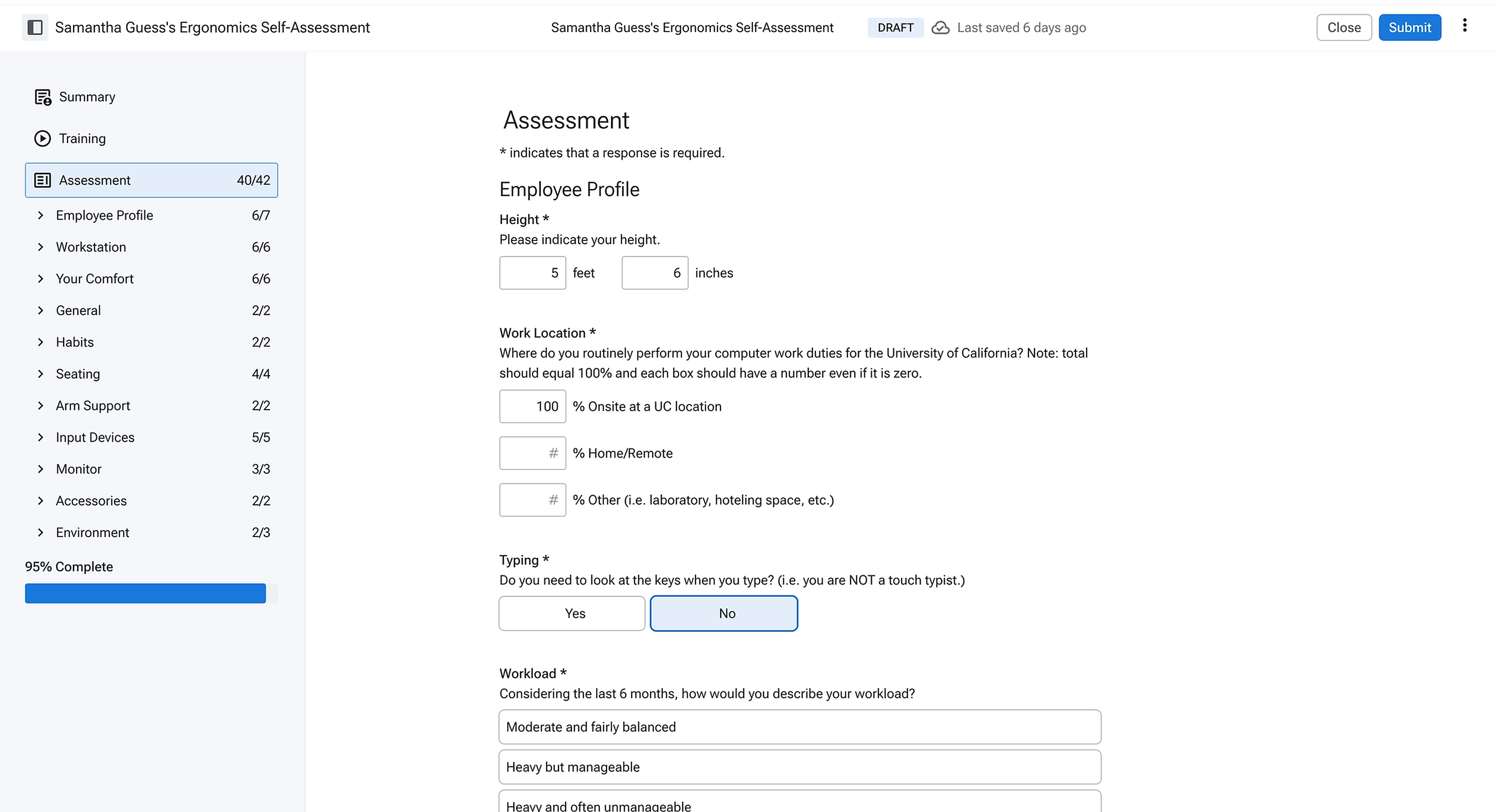
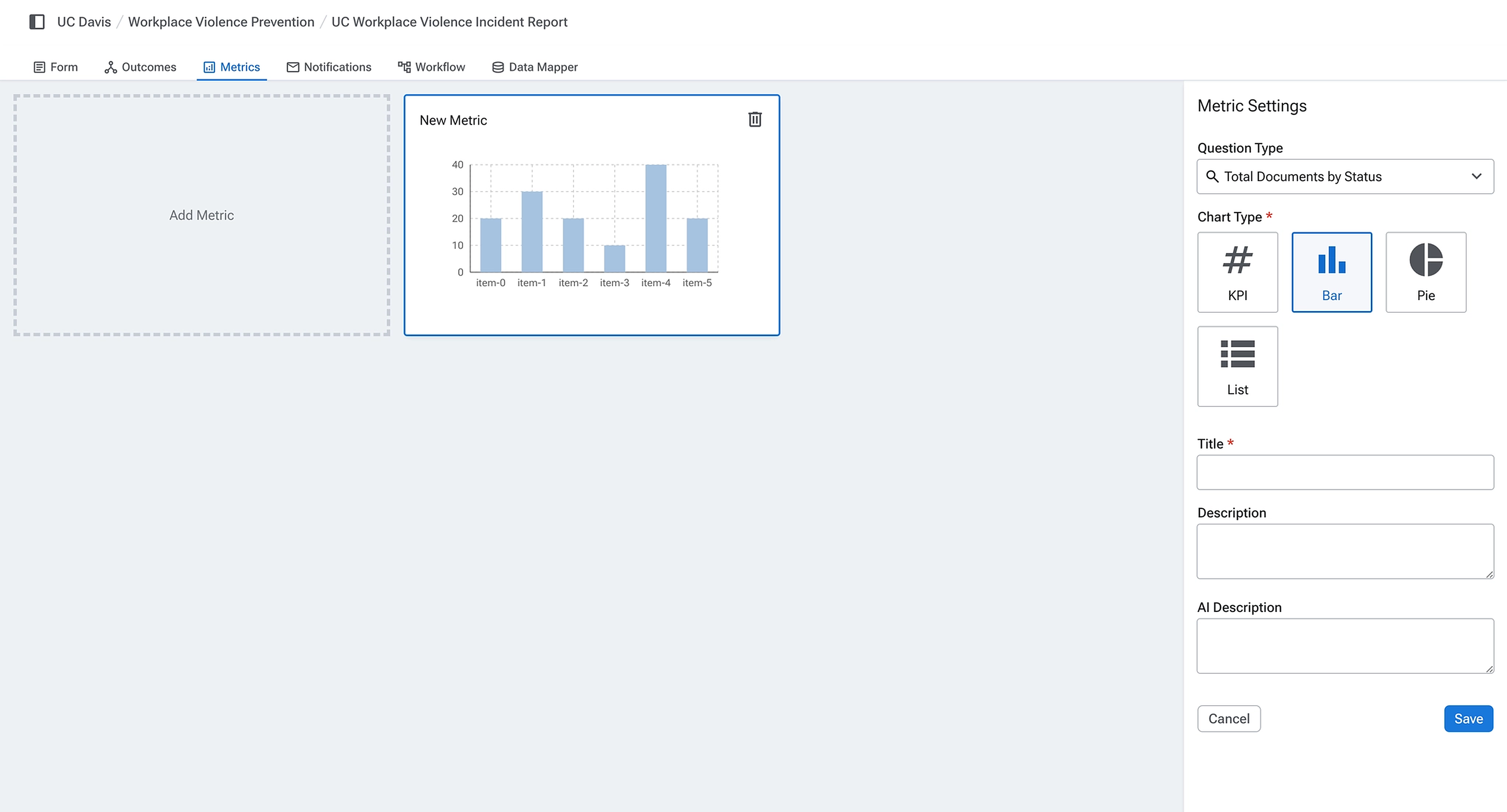
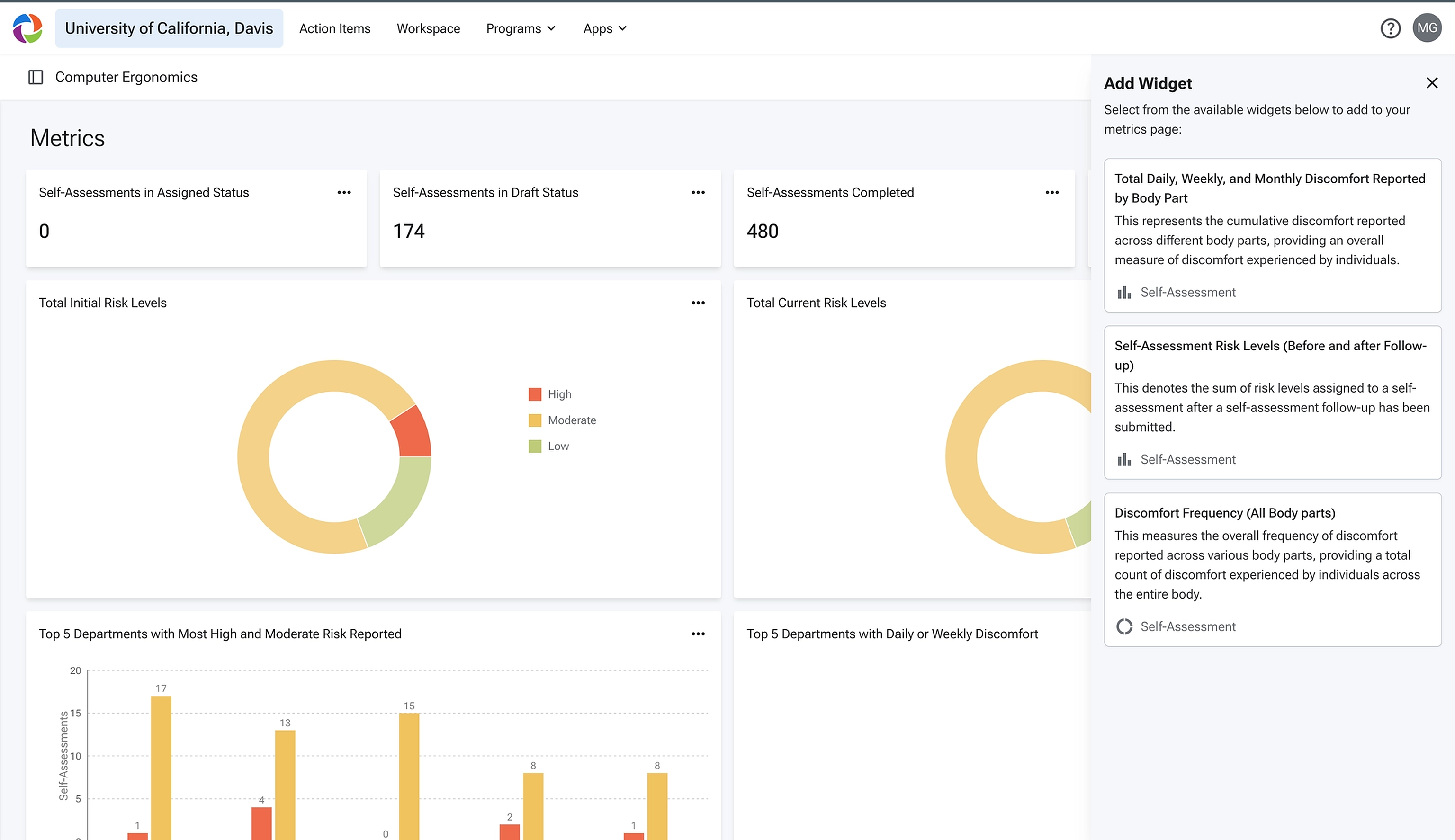
The figures below trace the two sides of the platform — the Studio surfaces admins author in, and the platform surfaces contributors land on. Each output is generated from what the adjacent builder produced.
Two homes, one product
Authoring → output: Forms
Routing the work
Authoring → output: Metrics
Validation
Research ran in parallel with design. Contributor interviews covered how end users navigated and completed forms. Workshops with admin users covered how they tracked submissions and built reports. Platform‑wide satisfaction surveys helped locate the fault lines.
The customer solution engineers were the most consistent test users during build. They had the deepest knowledge of how programs were currently assembled, and clear opinions about whether Studio was actually faster than the old custom path. Their feedback shaped the form‑builder defaults, the workflow primitives, and the order features were layered in.
Where it stands
Studio has been built out and exercised internally against real program configurations. In internal testing, programs that used to take RSS engineers months to assemble can be authored end‑to‑end in a few days — without writing code.
External rollout is the next step. The case study reflects the design and the internal validation, not field outcomes.
What I took from it
Reframing RSS from a compliance app to a data‑collection platform changed what every screen had to do. The form builder stopped being a form — it became a configuration surface for downstream analysis. That single shift drove most of the product‑level design decisions.
The internal users mattered as much as the external ones. The customer solution engineers weren’t buying Studio — they were inheriting it. Treating them as primary users, not downstream stakeholders, kept the builders honest about how programs actually get assembled.